
How to Hide TV Cords on the Wall (Clean Setup Guide)
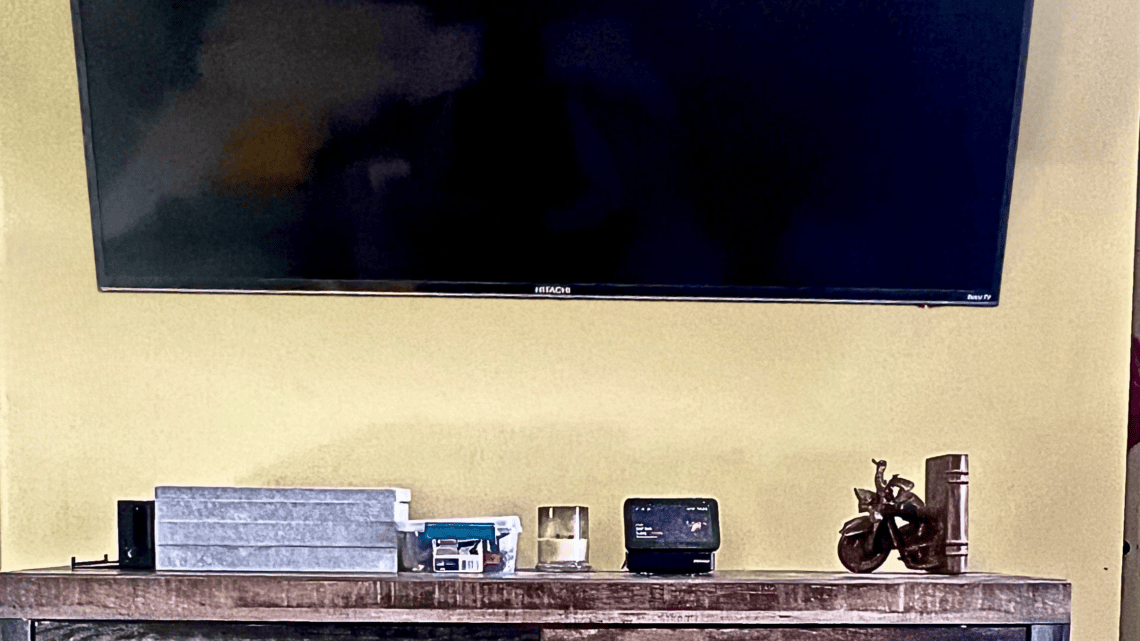
My TV was mounted. The furniture looked nice. Everything should have felt finished—but every time I walked into the room, my eyes went straight to the dangling cords. It made the entire wall look unfinished.
For the longest time, I had a wall-mounted TV that looked almost clean — except for the dangling cords underneath. No matter how I tried to ignore them, they made the whole setup feel unfinished.
So I finally fixed it. I used an in-wall cable management kit to route everything behind the wall.
And honestly? It was way easier than I expected.
As an Amazon Associate, I earn from qualifying purchases.
What You’ll Need
This is the exact cable management kit I used to hide the cords behind the wall.
- In-wall cable management kit
- Drywall saw (usually included)
- Stud finder (optional)
- About 30 minutes
Before You Cut the Wall
Important note before you start: don’t just run a regular extension cord behind the wall and call it a day. For power, use a proper in-wall power kit designed for this type of setup, or have an outlet installed by an electrician. HDMI and low-voltage cables are one thing; power is where you want to be boring and safe.
Why I Wanted to Hide My TV Cords
If you’ve ever mounted a TV, you probably know the problem:
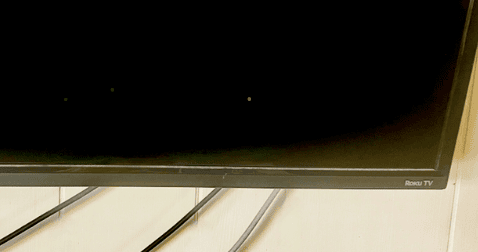
- cords hanging down the wall
- visible power cables
- HDMI wires ruining the look
Even if everything else is styled nicely, those cords pull your eye right to them.
I wanted:
- a clean, minimal look
- no visible wires
- something that didn’t look DIY in a bad way
| Method | Difficulty | Cost | Renter Friendly |
|---|---|---|---|
| Cord Covers | Easy | Low | Yes |
| In-Wall Kit | Medium | Medium | Usually No |
| Furniture Concealment | Easy | Low | Yes |
| Option | Best For | What to Know |
|---|---|---|
| Cord cover/raceway | Renters or no-cut option | Easy, but still slightly visible |
| In-wall cable kit | Cleanest look | Requires cutting drywall |
| New outlet behind TV | Most permanent setup | Best done by an electrician |
| Media console cord basket | Quick cleanup | Helps below the TV, but not wall cords |
What I Used
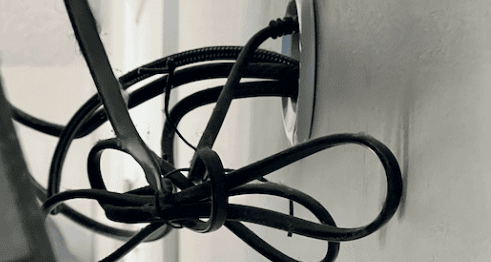
I used an in-wall cable management kit to route everything behind the wall.
It included:
- a hole saw attachment
- cable pass-through plates
- extension cord system for safe power routing
This is what allowed me to move both power and HDMI cables behind the wall safely, instead of just covering them.

🛠️ How I Did It (Simple Version)
I’m not super handy, so this was very much a “follow the instructions and hope for the best” situation 😅
Here’s the basic process:
1. Cut two small holes in the wall
- one behind the TV
- one near the outlet below
The kit came with the exact drill attachment, which made this part way less intimidating.
2. Installed the cable plates
These sit flush against the wall and make everything look clean and finished.
3. Ran the cables through the wall
- power cord
- HDMI cables
Everything drops down inside the wall and comes out near the outlet.
4. Plugged everything in below
So now:
– nothing is visible behind the TV
– all cords are hidden inside the wall
The Before vs After
Before:
- cords hanging down
- cluttered look
- distracting
After:
- completely clean wall
- no visible wires
- looks way more intentional
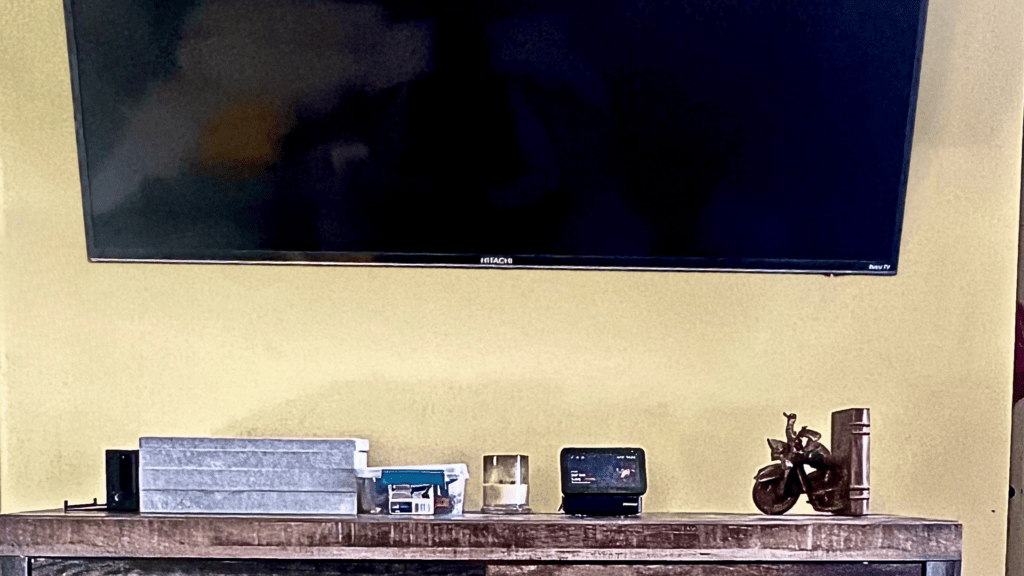
This honestly made a bigger difference than I expected.
A Few Things to Know
- Make sure you’re comfortable cutting drywall (it’s easier than it sounds, but still)
- Use a proper in-wall kit for safety (especially for power)
- Double check stud placement before cutting
Was It Worth It?
100% yes.
This is one of those small home upgrades that:
- looks expensive
- feels intentional
- takes less time than you think
And now I don’t even think about it anymore — which is kind of the whole point.
Products That Made This Easier
As an Amazon Associate, I earn from qualifying purchases.
In-Wall Cable Management Kit
This is what made the biggest difference.
- lets you run cords safely behind the wall
- includes everything needed to cut and install
- keeps both power + HDMI hidden
👉 This is how I got the “no cords showing” look.
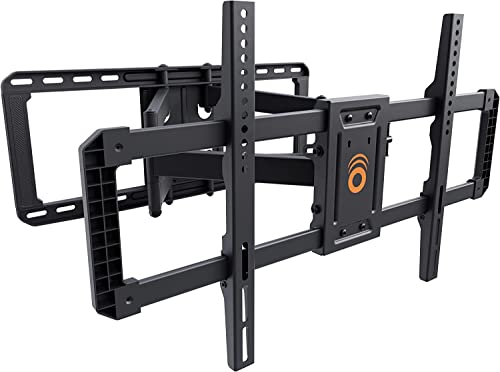
📺 TV Wall Mount
I used a full motion wall mount so I could:
- adjust the angle
- access the back easily during setup
It made installing everything way easier.
🧲 Stud Finder
Before cutting anything, I used a stud finder to:
- avoid drilling into studs
- place everything correctly
Highly recommend not skipping this step 😅

Shop My Setup
If you want to recreate this exact setup, I put everything I used here:
Other Small Home Fixes That Made a Big Difference
More Redcypress Finds


More Practical Guides & Ideas


Frequently Asked Questions About Hiding TV Cords
What is the easiest way to hide TV cords?
The easiest way to hide TV cords is with a paintable cord cover that attaches to the wall with adhesive strips. It keeps cables organized without requiring you to cut into the wall or hire an electrician.
Can renters hide TV cords without damaging the wall?
Yes. Many cord covers use removable adhesive strips, making them a renter-friendly option. Always check the product instructions and test a small area first if you’re concerned about wall damage.
Is it safe to cover TV cords?
Yes, as long as you use products designed for cable management and avoid overloading power strips. Keep cords organized and make sure there is adequate airflow around electronics.
How much does it cost to hide TV cords?
Simple cord management solutions can cost less than $20, while more advanced in-wall cable kits can cost $50 or more. My solution was inexpensive and only took a few minutes to install.
What’s the difference between a cord cover and an in-wall cable kit?
A cord cover hides cables inside a channel attached to the wall, while an in-wall cable kit routes cables behind the drywall. Cord covers are generally easier, cheaper, and more renter-friendly.
Can I paint a TV cord cover to match my wall?
Many cord covers are paintable, which helps them blend in with your wall color and become less noticeable.
How do I hide cords from a wall-mounted TV?
A cord cover is one of the simplest options. It creates a clean path from the TV to the outlet and helps eliminate the look of dangling cables.
Do cord covers work for gaming consoles and streaming devices?
Yes. Cord covers can organize HDMI cables, power cords, streaming devices, soundbars, and gaming console wires, helping your entertainment area look much cleaner.
Lisa Thompson
 Hi, I'm Lisa, a software engineer, photographer, and creator behind Redcypress Designs. I share practical home solutions, beginner-friendly juicing tips, cozy living ideas, Pinterest experiments, and products that solve real everyday problems. Most of the projects, recipes, and reviews on this site come from my own experiences, testing, and occasional mistakes.
You May Also Like
How to Make a Split King Bed Look Like One Bed

Easy Black, Cream & Wood Bathroom Decor Ideas
