

Pinterest Kept Opening Amazon in Its Browser — Here’s What Worked for Me
If you use Pinterest to drive traffic to Amazon affiliate products, there’s a small problem you may not notice until you actually test your own links.
I noticed that when I clicked an Amazon link from Pinterest on my phone, Amazon could open inside Pinterest’s built-in browser instead of taking me to the Amazon Shopping app.
The product page was there. Technically, the link worked.
Except I wasn’t logged into Amazon.
That’s not exactly the shopping experience I want to send someone to.
I started testing different links and settings to see whether I could get from Pinterest to the Amazon app more smoothly.
After trying multiple products, different types of Amazon links, Geniuslink, inline text links, buttons and different browser behaviors, I found a setup that consistently worked in my own testing:
Pinterest → my blog → full Amazon affiliate URL → same window → Amazon Shopping app
There’s an important distinction there: my Pinterest Pin links to my blog first.
That gives me control over what happens when someone clicks the Amazon link from my site.
Why I Started Testing This
My Pinterest strategy already relies heavily on sending people to Redcypress Designs before sending them to Amazon.
Normally I think about that path like this:
Pinterest → helpful blog post → relevant Amazon product
The blog gives me room to explain why I recommend something, show it in context and help the reader decide whether it’s actually useful.
Then I noticed there might be another advantage.
When I went directly from Pinterest toward Amazon, I could end up looking at Amazon inside Pinterest’s browser rather than my regular Amazon Shopping app.
That meant I wasn’t necessarily in the Amazon environment I normally use to shop.
So naturally, I started pushing buttons and changing links. For science. 😂
What Amazon Says About In-App Browsers
This part was particularly interesting once I started researching the official documentation.
Amazon calls an embedded browser inside another mobile app a “web view.” According to Amazon Associates documentation, Amazon affiliate links should open in either the Amazon Shopping app or the device’s native browser, such as Safari or Chrome, rather than inside another app’s embedded browser. (Amazon Associates)
Amazon also confirms that when an affiliate link on an Associate’s website opens in the Amazon Shopping app, attribution to the Associate ID is preserved. (Amazon Associates)
That was reassuring because getting the shopper into the Amazon app isn’t just a nicer experience. Amazon specifically supports affiliate attribution when a website link opens there.
What I Tested
I didn’t want to base this on one lucky click, so I tried several combinations.
I tested:
- Full Amazon affiliate URLs
- Shortened Amazon links
- Geniuslink links
- Links that opened in a new tab
- Links that stayed in the same window
- Inline text links
- Amazon links attached to buttons
- More than one Amazon product
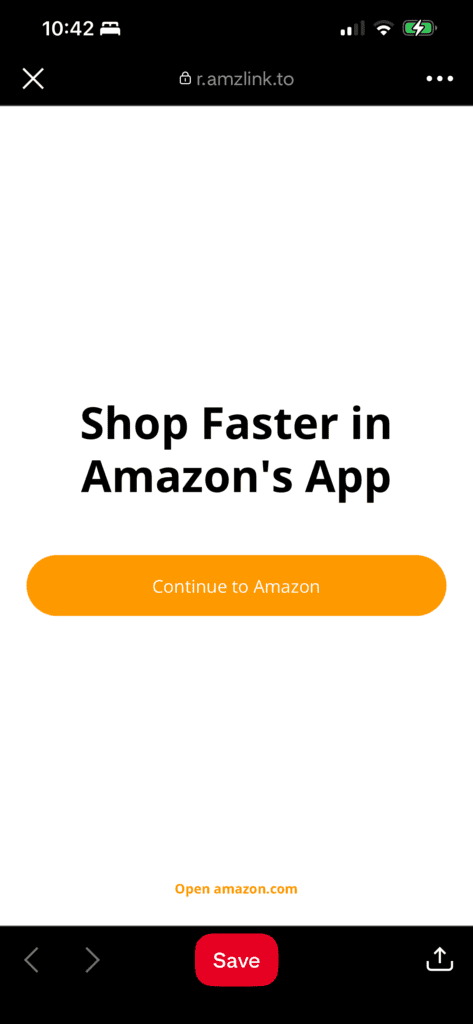
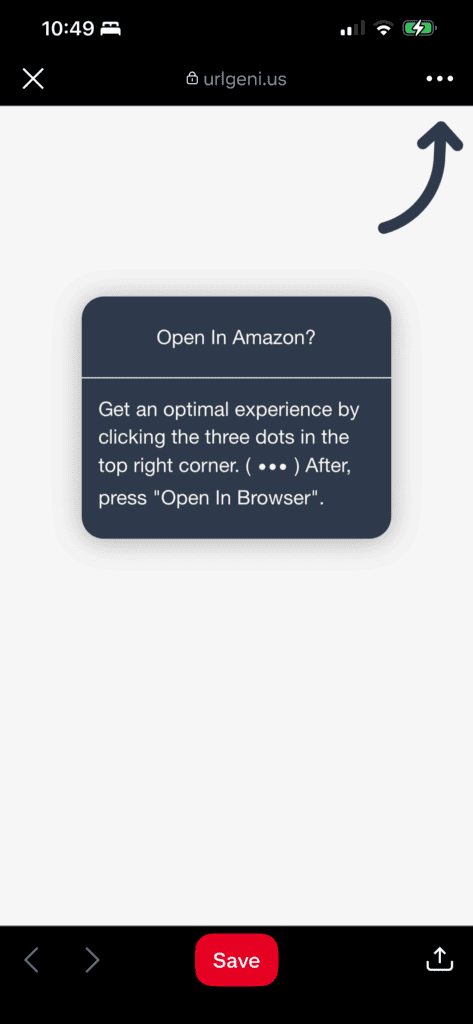
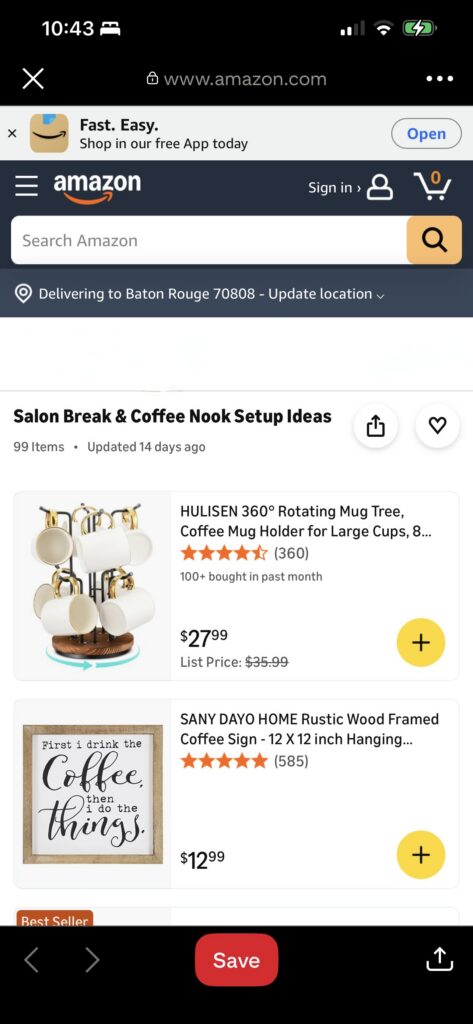
I repeatedly opened the links starting from Pinterest on my phone to see where I ended up.
The important variable did not appear to be whether I used an inline text link or a button.
Both worked when I used the setup that ultimately gave me the result I wanted.
The Setup That Worked for Me
The combination that consistently worked in my testing was:
1. The Pinterest Pin links to a page on my blog.
2. The Amazon link on that page uses the full Amazon affiliate URL.
3. The link is set to open in the same window rather than opening a new tab.
When I followed that path from Pinterest and then tapped the Amazon link on my blog, my phone opened the product in the Amazon Shopping app.
I tested this with both buttons and regular inline links and with multiple Amazon products.
Why Sending Pinterest Traffic to My Blog Matters
This was the part that finally clicked for me.
When I link directly from Pinterest to another destination, I don’t control how Pinterest handles that initial navigation.
When someone lands on my blog first, however, I control the next link.
I can choose the Amazon URL I’m using and whether my website tells the browser to open another tab.
In my testing, that seemingly tiny difference changed the experience from being stuck in an in-app browsing flow to opening the Amazon Shopping app.
It gave me another reason to like the Pinterest-to-blog-to-Amazon model.
The blog isn’t just an extra step between Pinterest and Amazon.
It gives me control over that second step.
What Happened When I Tried Geniuslink
I also tested Geniuslink because mobile deep linking is one of the features the service specifically promotes.
Geniuslink describes the same general problem: someone clicks an Amazon link inside another mobile app and ends up in an unfamiliar browser where they may not be logged into Amazon. Geniuslink’s mobile deep-linking feature is designed to try to send that shopper to the Amazon app or native browser instead. (Geniuslink)
In my Pinterest testing, though, Geniuslink didn’t give me the same seamless result as the blog setup.
The closest I got was an intermediate page that gave me an option to open outside Pinterest.
That’s certainly better than having no option at all, but it still required another action from me.
By comparison, the full Amazon link on my own blog, set to stay in the same window, opened my Amazon Shopping app in my tests.
That doesn’t mean Geniuslink doesn’t work. App behavior can vary depending on the device, operating system, app versions and user settings.
It simply wasn’t the smoothest result in my particular Pinterest tests.
Why the Full Amazon URL May Matter
Amazon’s own mobile documentation provides a possible explanation for some of what I observed.
Amazon documents the use of Apple’s Universal Linking technology for deep linking into the Amazon Shopping app. Amazon says that, in supported situations, customers with the Shopping app installed can be automatically deep-linked to the appropriate page in the app. (Amazon Associates)
I can’t say that Universal Links definitively explain every part of my Pinterest experiment.
What I can say is that my testing consistently produced a different result when I used the full Amazon URL and allowed that link to navigate within the existing window.
That’s an important distinction between what I observed and what Amazon officially documents.
Does the Amazon Affiliate Tracking Still Work?
According to Amazon, yes.
Amazon specifically addresses the situation where someone clicks an Amazon link on an Associate’s website and the link opens in the Amazon Shopping app.
Amazon says attribution to the Associate ID is preserved. (Amazon Associates)
You should, of course, make sure the Amazon link itself contains your correct tracking ID.
Amazon says Associates can verify this by checking the destination URL for their Store ID or Tracking ID. (Amazon Associates)
A Very Important Caveat
I’m not claiming this is a secret setting that will force every Pinterest user’s phone to open Amazon.
This is what I observed through repeated testing on my own device.
Mobile link behavior can depend on things like:
- iPhone vs. Android
- Operating system version
- Pinterest app version
- Amazon Shopping app version
- Whether the Amazon app is installed
- The user’s app and browser preferences
So I wouldn’t describe this as a guaranteed workaround.
I’d describe it as a link setup that consistently worked in my testing and that I’m now using on my own site.
What I Changed on My Blog
After testing the different combinations, I went through my Amazon links and changed them so that they do not intentionally open in a new tab.
For the links where I’m using this setup, I use the full Amazon affiliate URL rather than relying on a shortened URL.
I tested both regular inline product links and buttons.
Both successfully opened the Amazon app for me when configured this way.
That means I don’t have to redesign the way I present products throughout my posts. I can still use whichever format makes sense for the content.
The Bigger Lesson for My Pinterest Strategy
I originally thought of my blog as the useful stop between Pinterest and Amazon.
Someone sees an idea on Pinterest, clicks through to learn more, and then decides whether they want the product.
I still believe that’s important.
Now I see another benefit.
Owning that middle step gives me more control over the reader’s experience.
Instead of Pinterest controlling the entire journey between a Pin and a retailer, my site becomes the place where I can explain the recommendation, provide alternatives, link related content and control how the next click is configured.
In this particular experiment, that tiny bit of control appears to have helped create a much smoother transition into Amazon.
For an affiliate site, that’s a pretty useful thing to discover accidentally.
My Current Pinterest-to-Amazon Setup
For now, this is the path I’m using:
Pinterest Pin
↓
Helpful Redcypress Designs blog post
↓
Full Amazon affiliate link set to stay in the same window
↓
Amazon Shopping app, when supported by the user’s device and settings
I’ll keep testing it as Pinterest, Amazon and mobile operating systems change.
Because apparently I can’t just click a link like a normal person anymore.
I have to test every possible combination first. 😂
Disclosure: As an Amazon Associate, I earn from qualifying purchases.
Sources / further reading
- Amazon Associates: Are Web Views Supported? (Amazon Associates)
- Amazon Associates: Mobile commissions and app attribution (Amazon Associates)
- Amazon Associates: Mobile Application Policy and deep linking (Amazon Associates)
- Amazon Associates: Checking your tracking ID (Amazon Associates)
- Geniuslink: Amazon Mobile Deep Linking (Geniuslink)
Lisa Thompson
 Hi, I'm Lisa, a software engineer, photographer, and creator behind Redcypress Designs. I share practical home solutions, beginner-friendly juicing tips, cozy living ideas, Pinterest experiments, and products that solve real everyday problems. Most of the projects, recipes, and reviews on this site come from my own experiences, testing, and occasional mistakes.
You May Also Like
How My Brother’s Kite Shop Hit #1 on Google for “Organic Cotton Kites” (and What We Did to Get There)

How to Use the Amazon App in Canva
