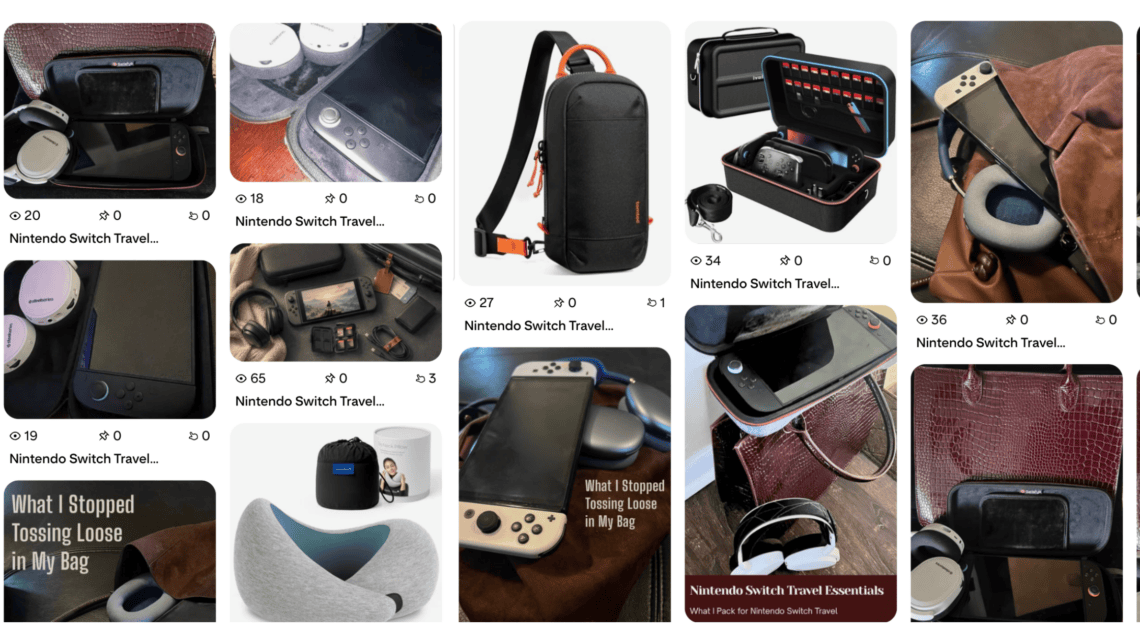
Pinterest Was Turning My Amazon Product Images Into Pins — Here’s How I Stopped It
Pinterest automatically creating Pins from my blog sounded like a great idea—until I realized it was also creating Pins from the Amazon product images inside my posts.
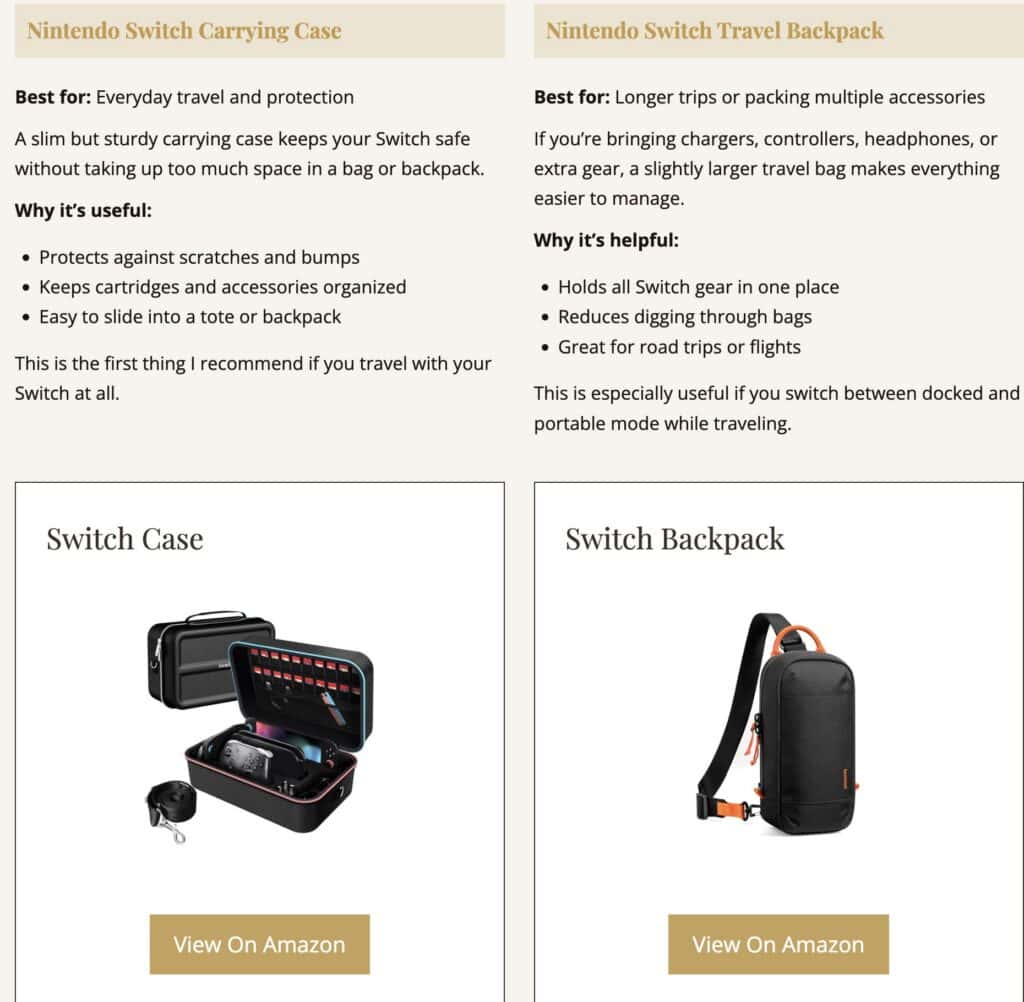
Those images made sense in the article. They helped readers see the products I was recommending and gave them an easy way to shop. I just did not want a random Amazon product photo representing the entire blog post on Pinterest.
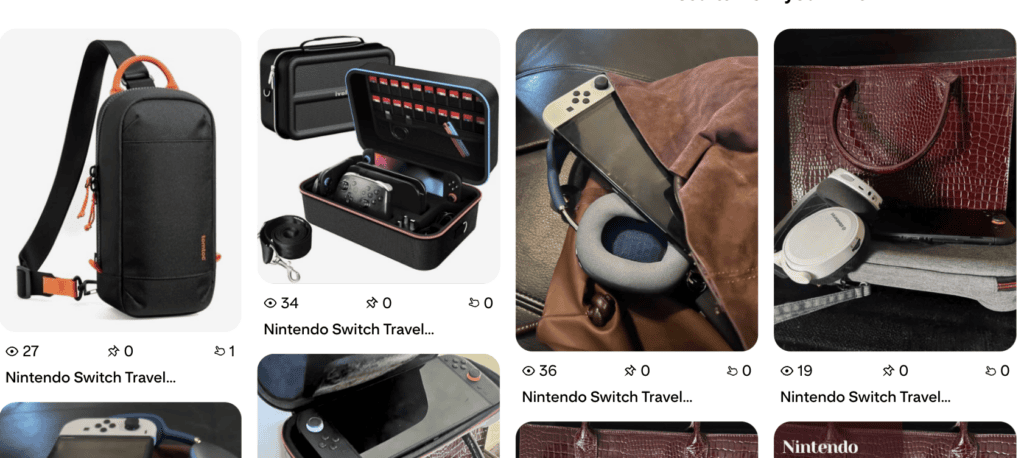
I wanted Pinterest to use the images I had intentionally created for the post: the lifestyle photos, room images, collages, checklists, and Pinterest graphics. Not the little product photo halfway down the page that happened to be linked to Amazon. 😂
The solution was to leave the Amazon product images exactly where they were on my blog while removing them from the RSS feed Pinterest uses to create Pins.
Here is how I did it.
Quick note: This is the solution that worked with my WordPress setup. Themes, plugins, and product blocks can generate different feed markup, so back up your site before changing PHP and test your own feed afterward.
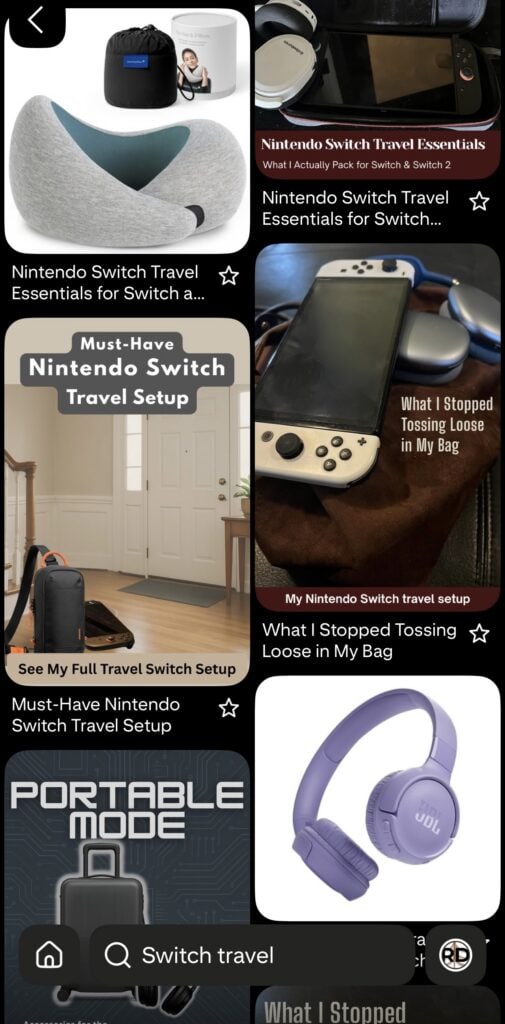

Why Pinterest Was Finding My Amazon Product Images
I use Pinterest’s RSS auto-publishing feature to create Pins when new content appears in my blog feed.
Pinterest explains that its RSS tool creates Pins from the image information inside each feed item. That is convenient when the feed contains the images I actually want shared.
The problem was that my WordPress RSS feed included the rendered content of each post. When a post contained Amazon product images, those images were present in the feed too.
That created two very different experiences:
- On the blog, the Amazon image was a useful product recommendation.
- On Pinterest, the same image could become an awkward, generic-looking Pin for the entire article.
I did not want to remove my product recommendations or change the actual blog post. I only wanted to give Pinterest a cleaner version of the content to work with.
The Fix: Remove Amazon Images From the RSS Feed Only
WordPress has a filter called the_content_feed that lets you change post content before it is sent to an RSS reader or browser.
That made it possible to create a feed-only filter that:
- keeps my regular blog images in the RSS feed;
- removes images wrapped in Amazon links;
- removes images hosted on common Amazon image domains;
- leaves the Amazon product wording and text links in place; and
- does not change the published blog post.
In other words, blog readers still see the complete article. The RSS feed simply stops advertising every Amazon product image to Pinterest.
The WordPress Code I Used
I added the following code to the functions.php file in my Ashe child theme. A site-specific functionality plugin is another appropriate place for it.
Do not add custom code directly to a parent theme because a theme update can overwrite it.
/**
 * Remove Amazon-linked product images from RSS feeds.
 * Does not change images displayed on the actual blog post.
 */
function rcd_remove_amazon_images_from_feed( $content ) {
	if ( empty( $content ) || ! class_exists( 'DOMDocument' ) ) {
		return $content;
	}

	$previous_errors = libxml_use_internal_errors( true );

	$dom = new DOMDocument();

	$dom->loadHTML(
		'<?xml encoding="utf-8" ?><div id="rcd-feed-content">' . $content . '</div>',
		LIBXML_HTML_NOIMPLIED | LIBXML_HTML_NODEFDTD
	);

	$xpath = new DOMXPath( $dom );

	// Find images wrapped in Amazon affiliate links.
	$amazon_images = $xpath->query(
		'//a[
			contains(@href, "amazon.com") or
			contains(@href, "amzn.to") or
			contains(@href, "amazon-adsystem.com")
		]//img'
	);

	if ( $amazon_images ) {
		foreach ( iterator_to_array( $amazon_images ) as $image ) {
			$link = $image->parentNode;

			// Remove the entire link when it contains only the product image.
			if (
				$link &&
				strtolower( $link->nodeName ) === 'a' &&
				trim( $link->textContent ) === ''
			) {
				$link->parentNode->removeChild( $link );
			} elseif ( $image->parentNode ) {
				$image->parentNode->removeChild( $image );
			}
		}
	}

	// Also catch Amazon-hosted images that are not inside links.
	$hosted_images = $xpath->query(
		'//img[
			contains(@src, "media-amazon.com") or
			contains(@src, "amazon-adsystem.com") or
			contains(@src, "ssl-images-amazon.com")
		]'
	);

	if ( $hosted_images ) {
		foreach ( iterator_to_array( $hosted_images ) as $image ) {
			if ( $image->parentNode ) {
				$image->parentNode->removeChild( $image );
			}
		}
	}

	$wrapper = $dom->getElementById( 'rcd-feed-content' );
	$output  = '';

	if ( $wrapper ) {
		foreach ( $wrapper->childNodes as $child ) {
			$output .= $dom->saveHTML( $child );
		}
	}

	libxml_clear_errors();
	libxml_use_internal_errors( $previous_errors );

	return $output ?: $content;
}

add_filter( 'the_content_feed', 'rcd_remove_amazon_images_from_feed', 20 );
add_filter( 'the_excerpt_rss', 'rcd_remove_amazon_images_from_feed', 20 );
What This Code Is Actually Doing
The function reads the HTML included in each RSS item and looks for two things.
First, it finds images placed inside links that contain common Amazon domains, including:
amazon.comamzn.toamazon-adsystem.com
Second, it looks for images hosted on common Amazon image servers, even if those images are not wrapped in an Amazon link.
When it finds a match, it removes the image from the feed version of the post. The original WordPress post is not edited, and the product image still appears normally when someone visits the article.
I also applied the function to the_excerpt_rss so it can cover feeds configured to use excerpts instead of full post content.
How I Tested the RSS Feed
After adding the code, I:
- Cleared my WordPress cache and any other site or CDN cache.
- Opened my feed directly at
https://redcypressdesigns.com/feed/. - Found a post that I knew contained Amazon product images.
- Confirmed that my regular post images were still present.
- Confirmed that the Amazon product images were gone.
- Checked the actual blog post to make sure the products still displayed there.
That last step matters. The goal is not to remove monetized content from the blog. It is only to control which images are exposed through the RSS content.

What This Fix Does Not Do
This code does not:
- remove Amazon product images from the published post;
- remove regular photographs or graphics from the feed;
- disconnect the RSS feed from Pinterest;
- delete Pins that Pinterest already created; or
- guarantee which image Pinterest will choose in every situation.
Pinterest can change how its tools work, and WordPress plugins can add image data to RSS feeds in different ways. This filter solved the problem on my site because the unwanted product images were appearing inside the feed content the function filters.
What If Amazon Images Still Appear in the Feed?
View the source of your RSS feed and search for part of the Amazon image URL, such as amazon, media-amazon, or ssl-images-amazon.
If the image is still there, check how it is being added. Some themes or plugins may place images in separate RSS tags such as <enclosure> or <media:content> instead of inside the post content. Pinterest specifically lists <image>, <enclosure>, and <media:content> among the image tags its RSS tool supports.
In that case, the content filter above may not be enough. You would need to adjust the theme or plugin that creates those separate feed tags rather than simply adding more domains to this function.
If the image is inside the post content but uses a different Amazon domain, add that domain to one of the XPath checks in the code.
Why I Did Not Remove Every Image From My Feed
Removing all images would have been easier, but it would also defeat the reason I connected my RSS feed to Pinterest in the first place.
I want Pinterest to find the images I created for the article. Those are the visuals that match my brand, explain the post, and give someone a reason to click or save it.
The better setup for me was:
- Blog visitors: See the full post, including helpful Amazon product recommendations.
- Pinterest and RSS: See my intentional blog photography and graphics without the extra Amazon product shots.
- Me: Keep the monetization in the article while having more control over how the post appears on Pinterest.
It is a tiny technical change, but it makes the whole system feel much cleaner.
Pinterest can keep automatically creating Pins from my blog. I just do not need it freelancing as my Amazon product photographer anymore. 😂
More Redcypress Finds

More Practical Guides & Ideas

Frequently Asked Questions
Will this remove Amazon images from my blog posts?
No. The code runs through WordPress’s feed filters, so it changes the RSS version of the content only. Your published post should continue to display normally.
Will it remove my own blog images from the RSS feed?
It is designed to remove only images connected to the Amazon link and image domains listed in the function. Your other images should remain, but always test your feed after adding or changing the code.
Will this stop Pinterest from creating Pins from my RSS feed?
No. The feed stays connected. The purpose is to remove unwanted Amazon product images from the feed while leaving your preferred blog images available.
Will it remove Pins Pinterest already published?
No. Changing the RSS feed affects the content available going forward. Existing Pins would need to be handled separately on Pinterest.
Where should I add the code?
Add it to a child theme’s functions.php file or a site-specific functionality plugin. Back up the site first, especially if you are not comfortable recovering from a PHP error.
Why does the code check for DOMDocument?
The code uses PHP’s DOM extension to inspect the feed HTML. If that extension is unavailable on the server, the function safely returns the original content instead of trying to process it.
Lisa Thompson
 Hi, I'm Lisa, a software engineer, photographer, and creator behind Redcypress Designs. I share practical home solutions, beginner-friendly juicing tips, cozy living ideas, Pinterest experiments, and products that solve real everyday problems. Most of the projects, recipes, and reviews on this site come from my own experiences, testing, and occasional mistakes.
You May Also Like
Repurposing Stock Photography to Shoppable Pins
WordPress Tools I Actually Use on My Blog